
How to optimize your cable and desk organization in Colombia: A practical guide
How to organize cables, power strips, and chargers on your desk in Colombia without trapping heat or confusing a cable tray with electrical wiring.

IDIOMA DEL ARTÍCULO
Showing original language
Short answer: group data and charging cables, keep the power strip visible and ventilated, read the label on each charger before plugging it in, and do not treat a tray as if it were an electrical installation.
Note: as Amazon associates we earn a commission on eligible purchases, at no additional cost to you.
The typical desk chaos in Colombia is well known: the laptop charger, the phone charger, the monitor charger, and a power strip left by the baseboard, with cables tangled around the chair leg. This guide is research based on specifications, store datasheets, and public user reviews, not a test conducted by us. An example of what the market shows is the Alex Tech 10-foot split sleeve cable protector, which we analyze below along with its limitations.
What to organize and what not to hide
My rule is simple: everything that is a cable gets organized, but things that heat up or need to be readable should not be hidden. A power strip buried behind fabric or inside a closed box is exactly what I would avoid.
Separate them into three groups: charging (phone, headphones, laptop), data (HDMI, USB, network), and power (the power strip and wall plug). Each group follows its own path. This way, if a cable fails, you can replace it without disassembling the entire desk.
Leave the power strip in a place where you can touch it with your hand and see the printed labels. That label tells you the voltage and amperage, and it is the first thing a buyer checks if you ever sell the power strip or used organizer.
Read the label before plugging in
There is no such thing as an "exact 110 V" for every home. For residential supply, the CREG indicates that steady-state voltage at 60 Hz must remain between 108 V and 132 V, that is, within ±10% of nominal voltage and not more than one minute outside that band. The RETIE, for its part, lists among its nominal voltages 120 V and arrangements such as 208/120 V and 240/120 V.
The practical thing to do is look at the charger's label. Many laptop and phone chargers say 100–240 V, 50/60 Hz, and those do not need a transformer. If the label shows a single voltage different from the Colombian network, do not plug it in. And if the device does not have that label, do not assume anything: ask the manufacturer.
If your area has frequent outages or voltage drops, this goes hand in hand with your energy backup. We have a guide on that: water and energy backups for apartments and country houses.
Three ways to organize, from simplest to tray
- Clips or velcro to the desk leg. The cheapest option, and enough if you have few cables. Be careful not to tighten too much: the cable should remain loose, not strangled.
- Visible channel or sleeve. Group data and charging cables in a single path. Works for the section between the desk and the wall.
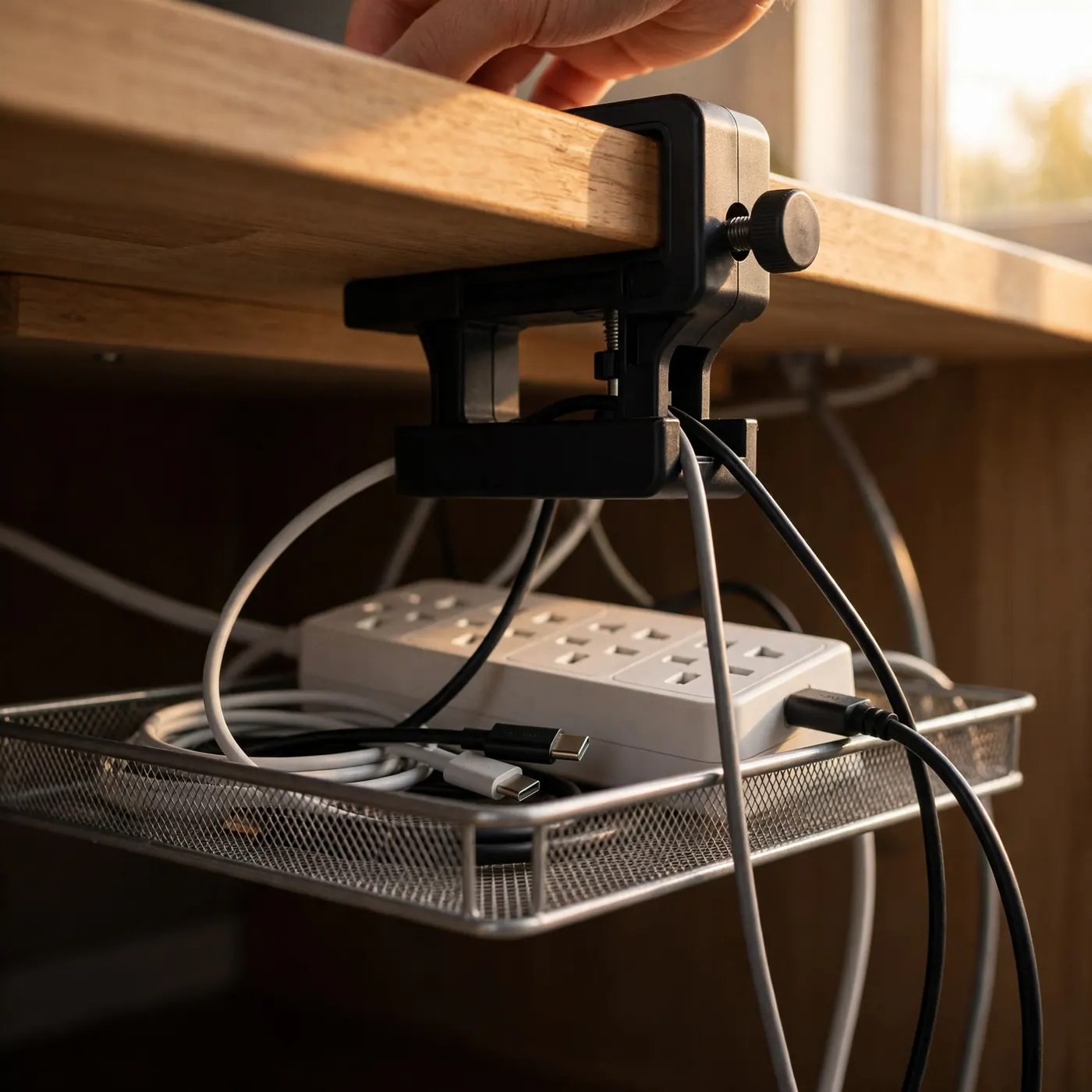
- Under-desk tray. It is the cleanest option. If you are renting, look for one with a clamp so you don't have to drill holes.
As a store reference, on October 6, 2026, the Homecenter product page for the 91 cm Oxford fabric organizer showed $289,900 per unit, with clamp installation requiring no drilling. That same day, the 40 cm no-drill metal tray, for indoor use and with a 6-month warranty according to the datasheet, was listed at $209,900. Those are prices from that date and they change, so confirm on the day you buy.
My opinion: for a normal desk, the 40 cm metal tray is enough. The 91 cm channel is justified if you have a long desk or multiple screens.
Split sleeve: product analysis
There is a fourth option, cheaper and more flexible: the split sleeve to group charging and data cables into a single tube. The model trending is the Alex Tech 10-foot, 1/2-inch protector, in black. It has a 4.7 out of 5 rating with over 85,000 reviews on Amazon at the time of checking, and I have seen it recommended by users even for protecting cables from pets that chew.
| Feature | Datasheet info |
|---|---|
| Brand | Alex Tech |
| Length | 10 feet |
| Diameter | 1/2 inch |
| Type | Split sleeving |
| Color | Black |
| Indicated use | USB, power cord, audio and video |
Who it is for and who it isn't
It is for someone who has a bundle of charging and data cables hanging behind their desk, or someone who has a pet that chews on them. The slot allows you to insert and remove cables without disconnecting them.
It is not for someone wanting to cover a power strip or a charger that heats up: the sleeve is for cables, not for hiding heat. Nor is it for someone looking for a solution recognized by the RETIE: a sleeve does not certify anything. If you want to compare, the product link has the complete reviews.
Importing it to Colombia: what to look at
Buying on Amazon involves using a locker or courier, and the final cost depends on shipping and customs processing. There is a dollar threshold below which the shipment may have different tax treatment regarding VAT, but the figure and conditions change: check the current figure at the DIAN before paying. Compared to a Homecenter tray, which doesn't pay international freight, the sleeve is only worth it if you are already buying other things from abroad.
Safety limits
This is the most important part of the article. Organizing a desk is an end-use guide, not a new electrical project.
- An extension cord, according to the RETIE definition cited in Resolution 40117 of 2024, is the set of receptacle, cables, and plug, without exposed conductors and without splices, for temporary use. It is not a fixed installation.
- Respect the volts and amps printed on the power strip or extension cord.
- Do not put a power strip that heats up inside closed fabric. If it gets hot, uncover it and check what you have plugged in.
- A tray or sleeve does not turn your circuit into a certified one, nor does it eliminate the risk of fire.
- In bathrooms, kitchens, or other damp areas, the regulation requires ground fault protection. A cable tray does not replace it.
If you see frayed cables, splices with tape, or a plug that smells like burning, do not organize it: change it or call a technician.
If the setup is for teleworking
Here it is best not to exaggerate. Decree 1227 of 2022 requires that the telework agreement describe the minimum ergonomic and technological requirements of the workstation. The employer provides tools like the computer, and the teleworker takes care of those tools. That's all: the decree does not force the purchase of a cable sleeve, a tray, or a desk of a certain size.
If you want your company to pay for the organizer, ask for it and leave the agreement in writing. If your home is not suitable for working in peace, another alternative is to go out: look at our guide to cafes for studying and working, although you manage the cable there.
Monday, October 12, 2026: getting the home desk ready
Law 2347 of 2024 sets October 12 as the Day of Ethnic and Cultural Diversity of the Colombian nation and a national holiday. Law 51 of 1983 only moves that rest day to the following Monday when the date does not fall on a Monday. This year it falls on a Monday, so it does not move.
If you are staying home, it is a great day to dedicate an hour to your workstation: read the labels, group cables together, install the clamp, and return to work on Tuesday with everything cleared up.
If you offer assembly services or are looking for someone to do it
Some people set up workstations for others: they run cables, install trays, and organize small offices. If that is you, a clear ad makes all the difference. Include:
- The area you cover, described precisely.
- What the service includes and what it doesn't (for example, you don't touch electrical panels or make splices).
- Before and after photos of a real workstation, without fake stock images.
- Who brings the tools and who buys the materials.
And if you are hiring, ask to see previous work and ensure cables are delivered with visible labels. According to active ads on Colombia Move as of October 6, 2026, the operations category had very few listings, so a well-built profile really stands out.
And if you have spare power strips or organizers in good condition, here is where to sell used items in Colombia. Hand them over with the power strip exposed so the buyer can see the label.
Frequently asked questions
❓ Does an under-desk tray replace an electrical installation?
No. A tray only groups and holds cables; it does not certify or improve the circuit. Furthermore, according to RETIE, an extension cord remains for provisional use, without exposed conductors or splices, so it should not act as a fixed installation (verify with the official source).
❓ What voltage should I check on a charger in Colombia?
Check the charger plate and compare it with the CREG residential band: between 108 V and 132 V at 60 Hz in steady state. If it says 100–240 V, 50/60 Hz, you do not need a transformer; if it uses a single different voltage, do not plug it in (verify with the official source).
❓ Can I put the power strip inside a fabric sleeve?
Only if it remains ventilated and you can access it to read the label. If the power strip gets hot, uncover it immediately and check what you have plugged in. A sleeve does not eliminate fire risk, and hiding heat inside closed fabric is exactly what should be avoided (verify with the official source).
❓ How much does a cable organizer cost in Colombia?
On October 6, 2026, Homecenter showed $289,900 for a 91 cm Oxford fabric channel and $209,900 for a 40 cm metal tray. These were showcase prices at that date, so confirm the value on the day of your purchase (verify with the official source).
❓ Does telework force my employer to buy the organizer?
No. Decree 1227 of 2022 mandates the description of ergonomic and technological requirements for the workstation and that the employer provide tools like a computer, but it does not mention cable sleeves. If you want it paid for, it must be agreed upon in writing (verify with the official source).
❓ Is it a good idea to drill into a rented desk?
It is not necessary if the mount uses a clamp, like the two Homecenter products mentioned, which install without drilling. If you still prefer screws, ask your landlord for permission first, because a hole in the board is not easily repaired.





Comments
Loading comments...
Checking sign-in status...