
Buying Used Laptops & Workstation Monitors in Medellín and Bogotá: Safe Sourcing, Malls, and Testing
Equipping a home office in Colombia without paying steep retail import markups is easy when you know where to shop. Here is how to navigate physical tech malls in Bogotá and Medellín, test used hardware, and protect yourself legally.
IDIOMA DEL ARTÍCULO
Showing original language
Arriving in Colombia as a remote worker or digital nomad usually means confronting an immediate practical dilemma: electronics prices in Latin America carry significant import duties, sales taxes, and shipping surcharges. If your primary MacBook dies while you are working out of an apartment in El Poblado or you urgently need a secondary 27-inch IPS workstation monitor to code comfortably in Chapinero, ordering brand-new hardware through international couriers can take weeks and rack up painful customs fees.
Fortunately, both Bogotá and Medellín boast specialized physical technology shopping centers alongside an active secondhand market for corporate off-lease computers. According to active listings on Colombia Move (September 2026), there are 8 computer ads and 5 tech-accessory listings live now in the electronics section, and waiting-buyer demand for computers still sits ahead of that supply. Whether you need a rugged Lenovo ThinkPad, a refurbished Dell Latitude workhorse, or a high-resolution color-accurate display, you can find quality equipment locally at fair prices—provided you know where to walk, how to stress-test hardware on the spot, and how Colombian consumer laws protect you from stolen merchandise and hidden defects.
Where to Shop: Physical Tech Hubs in Bogotá and Medellín
While online classifieds are plentiful, buying secondhand electronics in person offers an unmatched advantage: you can physically power on the machine, bench-test the internal components, negotiate directly with shop technicians, and walk away with a receipt. If you prefer to touch the hardware before parting with your money, these physical tech hubs are the primary centers to visit.
Bogotá: El Lago Tech District
Bogotá's technology ecosystem is heavily clustered in the El Lago neighborhood, situated right between Chapinero and the northern residential districts. This corridor along Carrera 15 is lined with multi-level commercial malls dedicated entirely to computer parts, hardware repairs, wholesale IT equipment, and enterprise refurbishments:
- Centro Comercial Unilago: Located at Carrera 15 # 78-33, Chapinero / El Lago, Bogotá. Unilago is Colombia's most famous tech hub, spanning several floors packed with independent computer boutiques, motherboard repair benches, and specialized dealers selling off-lease enterprise laptops.
- Centro Comercial de Alta Tecnología (CAT): Located just across the street at Carrera 15 # 77-05, Chapinero / El Lago, Bogotá. CAT offers a slightly more modern, air-conditioned retail environment featuring official brand distributor stalls alongside reputable refurbishment houses specializing in business laptops and high-end monitors.
When searching for residential spaces close to these hubs, check our guide on the best neighborhoods for young professionals in Medellín and Bogotá to balance walkability, safety, and workspace convenience.
Medellín: Monterrey Tech Mall
In Medellín, virtually all dedicated computing commerce converges on a single landmark building:
- Centro Comercial Monterrey: Located at Carrera 48 # 10-45, El Poblado, Medellín. Situated directly adjacent to the Poblado Metro station, Monterrey is a multi-story mall housing hundreds of tech stalls. You will find enterprise hardware liquidators, custom PC builders, and monitor vendors clustered on the upper levels.
Visiting physical shops in Unilago, CAT, or Monterrey gives you leverage. Stalls sit right next to each other, so vendors are accustomed to buyers comparing prices and requesting custom component upgrades—like swapping an older SSD for a fresh 1TB NVMe drive or adding an extra 16GB RAM stick before finalizing the sale.
Corporate Refurbished Workhorses vs. Consumer Laptops
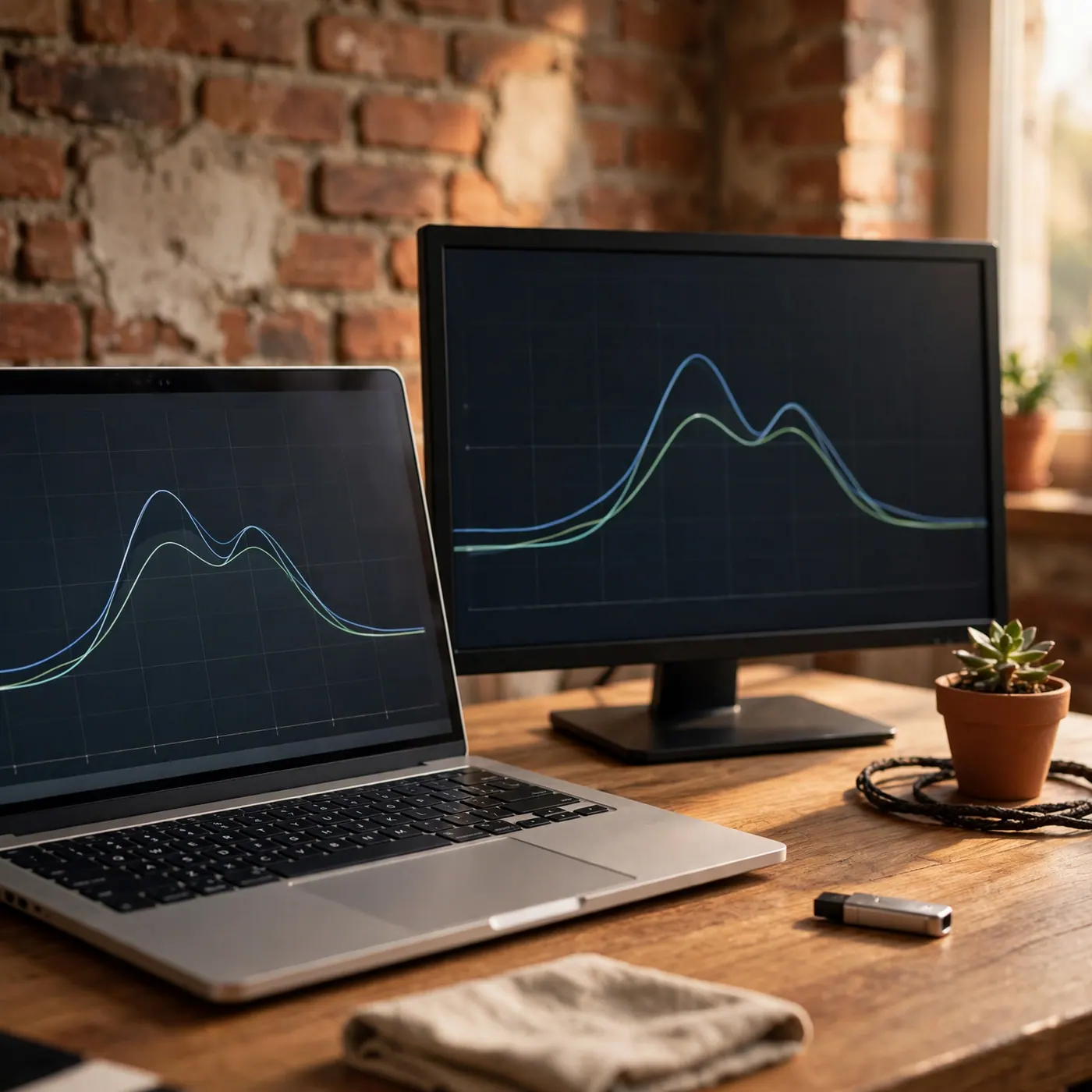
When shopping the secondhand stalls in Colombia, skip the flashy consumer laptops originally marketed for basic home use. Entry-level consumer lines tend to suffer from brittle plastic chassis, weak hinge assemblies, and soldered RAM that cannot be upgraded.
Instead, look for corporate off-lease hardware retired after two-to-three-year lease cycles by multinational banks and consulting firms. These machines are engineered for durability, feature standardized modular parts, and are readily available across Bogotá and Medellín:
- Lenovo ThinkPad (T, X, and P Series): Built with magnesium and carbon-reinforced chassis, spill-resistant keyboards, and easy-to-replace modular batteries. Models like the ThinkPad T14 or X1 Carbon are workhorse favorites.
- Dell Latitude (5000 and 7000 Series): Excellent Linux and Windows compatibility, durable aluminum or carbon frames, and readily available replacement power bricks throughout Colombian repair shops.
- HP EliteBook (800 Series): Solid all-metal unibody construction, decent displays, and easily accessible internal slots for storage and memory upgrades.
- Apple Silicon MacBooks (M1, M2, M3): High performance and exceptional battery life, but requiring rigorous verification to avoid corporate remote management locks.
For workstation monitors, look for brands like Dell (UltraSharp series), LG, HP, or ASUS featuring IPS panels and matte anti-glare coatings. If you plan to set up a dedicated remote office or shared desk in the capital, review our guide to renting office and commercial space in Bogotá for insight on commercial utilities and building requirements.
The Essential On-Site Hardware Testing Checklist
Never hand over cash or initiate a bank transfer until you have thoroughly bench-tested the hardware. Bring a USB flash drive pre-loaded with portable diagnostic utilities, a pair of 3.5mm headphones, and an HDMI or USB-C cable to connect to an external screen. Follow this step-by-step testing sequence:
Field Tip: Bring your own testing toolkit on a thumb drive containing HWMonitor, CrystalDiskInfo Portable, and a collection of solid-color 4K images (pure red, green, blue, white, black) to inspect displays on the fly.
1. Battery Health and Cycle Counts
Batteries are the most common wear item on secondhand laptops. On Windows, open PowerShell as Administrator and run:
powercfg /batteryreport /output "C:\battery-report.html"Open the resulting HTML file in a browser. Compare the Full Charge Capacity against the original Design Capacity. If the battery has lost more than 30% to 35% of its original capacity, negotiate a price reduction or ask the vendor to drop in a fresh battery replacement. On macOS, navigate to Apple menu > About This Mac > System Report > Power to inspect the cycle count and battery condition status directly.
2. Storage Drive Health (SMART Data)
Run CrystalDiskInfo Portable on Windows or DriveDx on macOS. Verify that the internal SSD reports a health status of "Good" (preferably 85% or higher) and inspect total host writes. Avoid drives displaying yellow warnings for reallocated sectors or uncorrectable errors, as failing solid-state drives can cause sudden system freezes.
3. Display Inspection (Dead Pixels & Backlight Bleed)
Cycle your monitor or laptop display through full-screen solid red, green, blue, black, and white test images. A single stuck pixel will show up instantly against contrasting primary colors. Dim the shop's counter lights slightly if possible to inspect the perimeter of the bezel for distracting backlight bleed or uneven color temperature across the panel.
4. Firmware, BitLocker, and Apple MDM Locks
Security locks are the biggest trap in secondhand computing:
- BIOS/UEFI Passwords: Reboot Windows laptops into the BIOS menu (typically by pressing F2, F10, or Del during startup). Ensure the BIOS is completely unlocked. A password-locked enterprise BIOS prevents you from changing boot orders, reinstalling operating systems, or adjusting virtualization settings.
- Apple MDM (Mobile Device Management) Profiles: On a secondhand MacBook, reboot the machine and ensure it has been factory reset. Connect to the shop's Wi-Fi network and proceed through the initial macOS setup. If an enterprise enrollment screen pops up stating "Remote Management" from a corporation or institution, walk away immediately. That machine remains managed by an IT department and can be remotely wiped or disabled at any time.
- iCloud Activation Lock: Confirm that the seller has signed out of Apple ID and Find My, and that FileVault drive encryption is deactivated.
Understanding Colombian Consumer Law and Legal Provenance
Buying electronics safely in Colombia requires understanding two critical pieces of local legislation: consumer warranty statutes and criminal laws governing stolen property.
Ley 1480 de 2011 (Estatuto del Consumidor)
When you purchase a secondhand laptop or monitor from an established commercial store or registered business in Colombia (such as an established shop inside Unilago or Monterrey), the transaction is governed by Ley 1480 de 2011 (Estatuto del Consumidor). Under Articles 7, 8, and 16:
- Commercial sellers must provide an implied 3-month legal warranty on used goods.
- A seller cannot verbally deny this warranty. A used item is only exempt from the 3-month warranty if the seller clearly states in writing that the product is sold without warranty, and you expressly sign an acknowledgement accepting those terms.
- If you purchase directly from an individual seller through peer-to-peer online classifieds, the transaction is governed by the Colombian Civil Code (Código Civil) rather than consumer protection statutes. In peer-to-peer deals, no statutory warranty applies once handoff and payment are completed, making thorough pre-purchase hardware testing even more essential.
Preventing the Crime of Receptación (Art. 447 Código Penal)
Under Article 447 of the Colombian Penal Code (Ley 599 de 2000), purchasing, concealing, or possessing stolen property constitutes the serious crime of receptación. Pleading ignorance is not a valid legal defense if the authorities trace a stolen corporate laptop to your possession; the equipment can be confiscated immediately, and you may face criminal inquiry.
To establish good faith (buena fe exenta de culpa), always insist on proper documentation:
- From Commercial Shops: Demand a formal Factura Electrónica de Venta issued through the DIAN system, containing the shop's legal business name (Razón Social), NIT, a valid CUFE verification code, and the laptop or monitor's exact serial number.
- From Private Sellers: Request a signed bill of sale (contrato de compraventa de bien mueble usado) clearly stating the seller's full legal name, Cédula de Ciudadanía or Cédula de Extranjería number, date, sale price, and the hardware serial number. Take a photo of the seller's identification alongside the machine.
Realistic 2026 Price Benchmarks and Payment Etiquette
Prices in physical computer centers depend heavily on cosmetic condition, battery cycles, screen resolution, and how you choose to pay. As of late 2026, according to active tech listings and local computer market observations, typical secondhand prices in Bogotá and Medellín fall into these realistic ranges:
- Refurbished Business Laptops (ThinkPad, Dell Latitude, HP EliteBook): Typical models featuring 11th or 12th-generation Intel Core i5/i7 or AMD Ryzen 5/7 processors, 16GB RAM, and 512GB SSDs generally sell between COP 1,200,000 and COP 2,500,000.
- Secondhand Apple MacBooks (M1 / M2 Silicon): Well-maintained base M1 MacBook Air models generally trade between COP 2,800,000 and COP 3,800,000, while M2 or Pro models range higher depending on unified memory and cosmetic condition.
- 24-inch to 27-inch Workstation Monitors (1080p to 1440p IPS): Standard used 1080p IPS office monitors typically trade between COP 250,000 and COP 450,000. Higher-grade 27-inch QHD (1440p) displays with adjustable ergonomic stands and USB-C power delivery generally run between COP 550,000 and COP 850,000.
Payment dynamics in Colombian tech centers matter. Many independent stalls operate primarily on bank transfers via Bancolombia, Nequi, or Daviplata, or cash. If you choose to pay with a credit card via a point-of-sale terminal (datáfono), vendors will frequently add a 3% to 5% card processing fee to your total. Asking for the cash or transfer price ("¿cuánto es lo último por transferencia o en efectivo?") is expected and can save you hundreds of thousands of pesos.
For ongoing digital transfers and banking management while living in Colombia, explore our overview of local payment apps and account utilities in our guide to paying utility bills and services online in Colombia.
Frequently Asked Questions
❓ Do used laptops bought from computer malls in Colombia come with a warranty?
Yes, if purchased from a registered commercial business. Under Colombia's Consumer Statute (Ley 1480 de 2011), commercial sellers must provide a default 3-month legal warranty on used goods unless you explicitly sign a written waiver agreeing to forfeit it.
❓ What is the safest way to avoid buying a stolen laptop in Medellín or Bogotá?
Demand a 2026 DIAN Factura Electrónica with the serial number from shops. For private sellers, use a signed bill of sale with the seller's cédula, then check the serial on the maker's support site.
❓ How can I test a secondhand monitor before paying?
Bring your own laptop and an HDMI or USB-C cable to the shop. Connect the display and cycle through full-screen solid red, green, blue, black, and white backgrounds to check for dead or stuck pixels, perimeter backlight bleeding, and flicker at maximum refresh rates.
❓ How do I make sure a used MacBook isn't locked by a previous employer?
Ensure the seller performs a complete factory reset in front of you. Boot through the initial macOS setup screen while connected to Wi-Fi; if an enterprise Remote Management (MDM) prompt appears, refuse the sale, as the laptop is managed by a third-party company.
❓ Can I pay with a foreign credit card at tech malls like Unilago or Monterrey?
Many stalls accept international cards through their datáfono terminals, but they routinely add a 3% to 5% processing surcharge. You will usually secure a better final price by paying via local bank transfer (Bancolombia, Nequi) or cash withdrawn from an on-site ATM.
❓ What are typical price ranges for refurbished business laptops in Colombia in 2026?
As of late 2026, typical ThinkPad and Latitude refurbs generally sell between COP 1,200,000 and COP 2,500,000. Exact quotes still depend on generation, RAM, SSD size, and cosmetic condition.




Comments
Loading comments...
Checking sign-in status...