TV Box and Streaming: How to watch the World Cup in Colombia without interruptions
Set up your TV Box step-by-step, discover the official 2026 World Cup apps (Disney+, Win Play, Caracol Play), and resolve interruptions on match day.
IDIOMA DEL ARTÍCULO
Showing original language
On June 11, 2026, the biggest World Cup in history kicked off: 104 matches, 16 host cities, and a signal distribution that leaves many Colombians without a picture on their screens. Caracol and RCN are covering the 35 most important matches—including Colombia's—but to follow the entire tournament, you need streaming platforms. The real problem: if your Smart TV is two or three years old and the manufacturer has stopped updating the operating system, it likely no longer supports Disney+ or Win Play with good performance. Connecting a TV Box or streaming stick is the most practical solution before buying a new TV. In this guide, I explain step-by-step how to do it.
Checklist before buying a streaming device
Not all streaming sticks and TV Boxes are the same. Before buying, check these five points:
- Free HDMI port on your TV (almost all modern TVs have one)
- Compatibility with the apps you need: Disney+, Win Play, Caracol Play, DGO
- Reliable Wi-Fi signal where the TV is located — if the signal is weak, the device won't fix it
- Remote control included or Bluetooth support to use a universal one
- 4K support only if your TV and streaming plan allow it; the experience is already excellent in standard HD
One detail that is easy to forget: check how many HDMI ports your TV has before buying. If you already have a console, soundbar, or receiver connected, you might need an HDMI switch.
Step-by-step: connect and set up for the first match
Initial setup takes between 10 and 20 minutes depending on your internet speed:
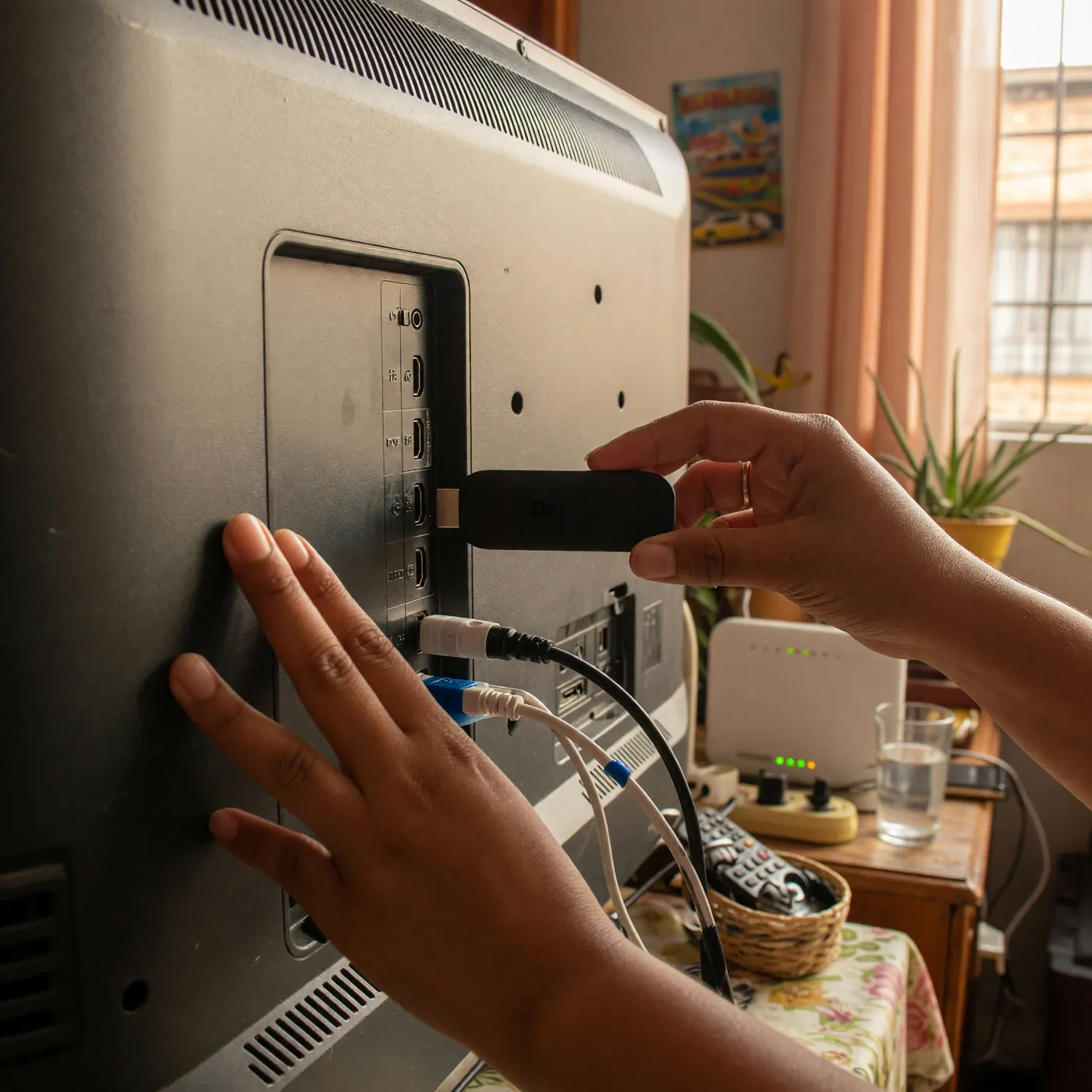
- Connect the device to your TV's HDMI port
- Turn on the TV and select the correct HDMI input with the remote control
- Follow the initial setup wizard that appears on the screen
- Connect to your home Wi-Fi network — have the password handy
- Wait for the system to download pending updates (this may take a few minutes)
- Open the device's app store and install the soccer apps you plan to use
If the wizard asks you to sign in with a Google or Amazon account, it is free and does not imply any paid subscription. It is only necessary to access the app store.
Internet speed: how much you need to avoid buffering
Buffering during live matches is almost always a speed or Wi-Fi signal issue, not a device issue. Before assuming you need more powerful equipment, measure the actual speed where your TV is located:
| Video Quality | Recommended Minimum Speed |
|---|---|
| 4K Ultra HD | 25 Mbps constant |
| Full HD (1080p) | 10 Mbps |
| HD (720p) | 5 Mbps |
If the speed is good but the streaming still freezes, try connecting the device to the 5 GHz band of your router instead of the 2.4 GHz one: it has less interference and is ideal for live video. If the router is far from the TV, an Ethernet cable with a USB adapter usually solves the problem at the root. For a complete guide on internet plans in Colombia, check out our guide on internet and SIM cards in Colombia.
The official apps to watch the 2026 World Cup and the Liga BetPlay
For the 2026 World Cup, broadcast rights in Colombia are distributed as follows (source: olympics.com, June 2026):
- Caracol Televisión and Canal RCN — free open signal: 35 matches, including all those of the Colombia National Team
- DSports / DGO — pay TV and streaming: all 104 matches of the tournament
- Disney+ — subscription streaming: all 104 matches of the tournament
- Win Play — streaming: 25 selected matches, not including those of the Colombia National Team
Caracol Play and Deportes RCN are available as free apps in almost all app stores. If you only want to watch Colombia's matches, these two apps are sufficient without paying anything.
For the Liga BetPlay and national tournaments, Win Play is the streaming platform with the most coverage. Their plans for 2026:
| Win Play Plan | Monthly Price (2026) |
|---|---|
| Win Lite | COP $4,999 |
| Win Estándar | COP $37,900 |
| Win Familiar | COP $52,999 |
Prices according to winsports.co, June 2026. Subject to change.
Local payments: how to pay for your subscriptions without complications
Several streaming platforms apply restrictions to international credit cards when billing in Colombian pesos. Nequi is the option most used by both Colombians and resident foreigners.
If you are a foreigner, keep in mind: to register for Nequi you need a valid Foreigner ID (Cédula de Extranjería - CE) or a Temporary Protection Permit (PPT) — the platform does not accept passports. You also need an active cell phone line in Colombia (according to the Nequi help center, June 2026).
Other alternatives without a Colombian bank account: gift cards for the app store (available at Éxito and Carulla) or paying for some services in cash at banking correspondents.
What to do if the broadcast fails on match day
The most common problems have a quick fix. Here are the answers ordered by symptom:
| Symptom | First step |
|---|---|
| Frozen image | Lower the video quality to 720p or 1080p from the app settings |
| Out-of-sync audio | Close and reopen the streaming application |
| App won't load | Check for a pending update in the app store |
| Unstable Wi-Fi signal | Move the router closer or use an Ethernet cable with a USB adapter |
| Playback error | Log out, restart the device, and log back in |
If the failure is widespread and your network is working well, check the service status on the platform's official social media account. During high-traffic matches—quarterfinals, semifinals, the Colombia match—platforms can saturate servers in the first few minutes. Waiting five or ten minutes and trying again is usually enough.
Getting or selling a used TV Box in Colombia
Buying second-hand can cut the budget in half. If you find an offer in online classifieds, ask the seller to perform a factory reset of the device in your presence before paying and verify that the original remote control works. To protect yourself from fraudulent sales, check out our guide on how to avoid scams on Facebook Marketplace Colombia.
Colombia Move has audio-video and electronics routes to post or search for used devices. If you have a TV Box you won't be using after the World Cup, you can list it for free and contact buyers directly with no commission. Also, check out our complete guide on where to sell used things in Colombia to compare all available options.
Frequently Asked Questions
❓ What are the official applications to watch the 2026 World Cup in Colombia?
For the 2026 World Cup in Colombia: Caracol and RCN broadcast 35 matches on open signal (including Colombia's), Disney+ and DSports have all 104 matches, and Win Play covers 25 selected matches. Caracol Play and Deportes RCN are also available as free apps.
❓ What internet speed do I need to stream soccer in 4K without interruptions?
At least 25 Mbps of constant download speed is recommended for 4K streaming, and 10 Mbps for Full HD (1080p). Connecting the device to the 5 GHz Wi-Fi band of your router improves stability and reduces interference.
❓ Can I open a Nequi account with my passport to pay for my streaming subscriptions?
No. Nequi does not accept passports for foreign registration. To open an account, you need a valid Foreigner ID (Cédula de Extranjería - CE) or a Temporary Protection Permit (PPT), in addition to an active cell phone line in Colombia (according to the Nequi help center, June 2026).
❓ How much does a monthly Win Play subscription cost in 2026?
In 2026, Win Play offers three plans: Win Lite at COP $4,999 per month, Standard Plan at COP $37,900 per month, and Family Plan at COP $52,999 per month. The Standard Plan includes access to the Liga BetPlay and the World Cup matches available on the platform. Prices according to winsports.co, June 2026.
❓ What should I do if my TV Box stream freezes during the match?
First, reduce the video quality from "Automatic" or "4K" to "1080p" or "720p" in the app settings. If the problem persists, close the application, restart the device, and then the router. Restarting the router usually resolves home network congestion in a few minutes.
❓ Where can I safely buy or sell a used TV Box in Colombia?
You can use Colombia Move, which has audio-video and electronics categories to post or search for used devices without paying commissions. Before buying second-hand, always ask the seller to perform a factory reset of the device in your presence.


Comments
Loading comments...
Checking sign-in status...